
If you are a fan of space simulations like Star Citizen, Elite Dangerous, or X4: Foundations, you know that immersion is everything. Traditionally, if you wanted to look around your cockpit naturally, you had two choices: expensive hardware like TrackIR or Tobii, or a bulky VR headset.
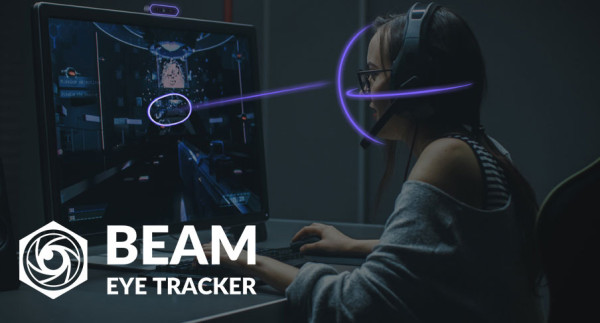
But what if you could get high-quality head tracking using just your webcam or smartphone? Today, we’re looking at the Beam Eye Tracker, a software-based solution that has just received a major update.
You can get the software directly from here: https://beam.eyeware.tech/?via=captaincollins
Why Head Tracking Changes the Game
Head tracking allows you to decouple your character’s view from your mouse or joystick. It lets you track targets with your eyes while keeping your hands free for complex maneuvers.
Unlike VR, where you’re cut off from the real world, Beam allows you to stay fully aware of your physical surroundings. You can still see your keyboard, your expensive HOTAS setup, and your coffee – all while maintaining full control over your point of view in-game [02:40].
The Beta: No More Extra Software
The biggest news in the latest beta is the built-in OpenTrack support. In previous versions, users had to juggle two different programs and mess with complicated settings just to get things running. That is now a thing of the past. The setup is straightforward and guides you through the process in minutes [01:09].
How It Performs in Space Sims
I put the Beam Eye Tracker to the test in the “Big Three” of space gaming:
- X4: Foundations: It worked immediately. While X4 has a slight quirk with aggressive auto-recentering, enabling head tracking in the game settings made the experience feel incredibly smooth [01:53].
- Elite Dangerous: No setup was required. As soon as the game launched, the tracking was active. It feels different than X4, but you get used to the sensitivity very quickly [02:34].
- Star Citizen: Much like Elite, it worked seamlessly. Being able to track targets naturally while keeping full visibility of your physical controls feels fantastic [03:07].
More Than Just Gaming: Productivity & Privacy
Beam isn’t just for pilots; it has some clever features for daily PC use:
- Mouse Jumping: Your cursor teleports to exactly where you are looking [03:22].
- Presence Detection: My favorite feature—it notices when you leave your desk and can automatically lock your system [03:29].
- Privacy Filter: It blurs everything on the screen except the area you are currently looking at [03:36].
The Verdict: Why Choose Beam?
The Beam Eye Tracker is a strong contender because it requires no extra hardware. You use the webcam you already own or even your smartphone (which works flawlessly on both Android and iPhone) [01:26].
It’s cheaper than hardware-based alternatives, and while the beta can be a little rough around the edges, the development is very active. If you want to increase your immersion without breaking the bank, this is a solution worth checking out.
You can get the software directly from here: https://beam.eyeware.tech/?via=captaincollins
The video was sponsored by Beam.
Fly safe, Captains!
YouTube Video: Beam Eye Tracker Review: Affordable Head Tracking That Actually Works
So, i was using AI track with opentrack before, and i have a pretty crappy 15 years old webcam. I experienced heavy flickering when looking down, in the way that the raw tracking was going from -46 degrees to 36 constantly switching between them. I fly in DCS so operating switches and CNIs on planes is really important and i was having a really hard time. so, i tried beam eye track after CaptainCollins suggested it to me. You need a bit of mapping because it works togheter with opentrack (in development there’s a version that doesn’t require opentrack), i . So, flickering disappeared, very smooth and precise tracking, and light on performances (i am currently flying the 18 with 260 theoretical FPS, bounded at 145 by screen). this tracker is way more affordable than the others and it performs really well, even with my crappy webcam (30fps, resolution is 1280×720). i would recommend you try it because it’s a huge difference from the free ones (i tried 5 of them and had all different problems). costs is 30 ish dollars, the others with a similar quality cost something like 3 times the price. if you need a mapping for DCS i have one that works for pretty much everything. In case i’ll send the mapping on CaptainCollins discord. thank you a lot. -thecraken
Thank you so much for this detailed feedback! To everyone, I asked him to write down his experiences for others to read about it and I’m glad he did. It’s basically exactly what I’m preaching about the difference of free to paid software. To thecraken: hope you’re going to have a lot more fun now!